Your iPhone is the remote your TV was missing.
Control Sony BRAVIA, Android TV, Google TV and Roku over your home Wi‑Fi — power, volume, channels, apps, casting and typing.
Free to download · Works over Wi‑Fi, no internet needed · iOS 15 or later
Works with
- Sony BRAVIA
- Android TV
- Google TV
- Roku
BRAVIA sets with IP control (roughly 2013 onward), Android TV and Google TV boxes, Roku players, and Roku TVs from TCL, Hisense, Sharp and Philips. Samsung, LG, Vizio, Fire TV and Apple TV are not supported.
Set up once, in about a minute
Nothing is installed on the television and no account is created.
-
Same Wi‑Fi
Join the iPhone and the TV to the same home network. If your router splits 2.4 and 5 GHz into separate names, pick the one the TV is on.
-
Accept the prompt on the TV
The first time you connect, the television shows a pairing request or a four-digit code. Approve it once and it is remembered.
-
Control from the phone
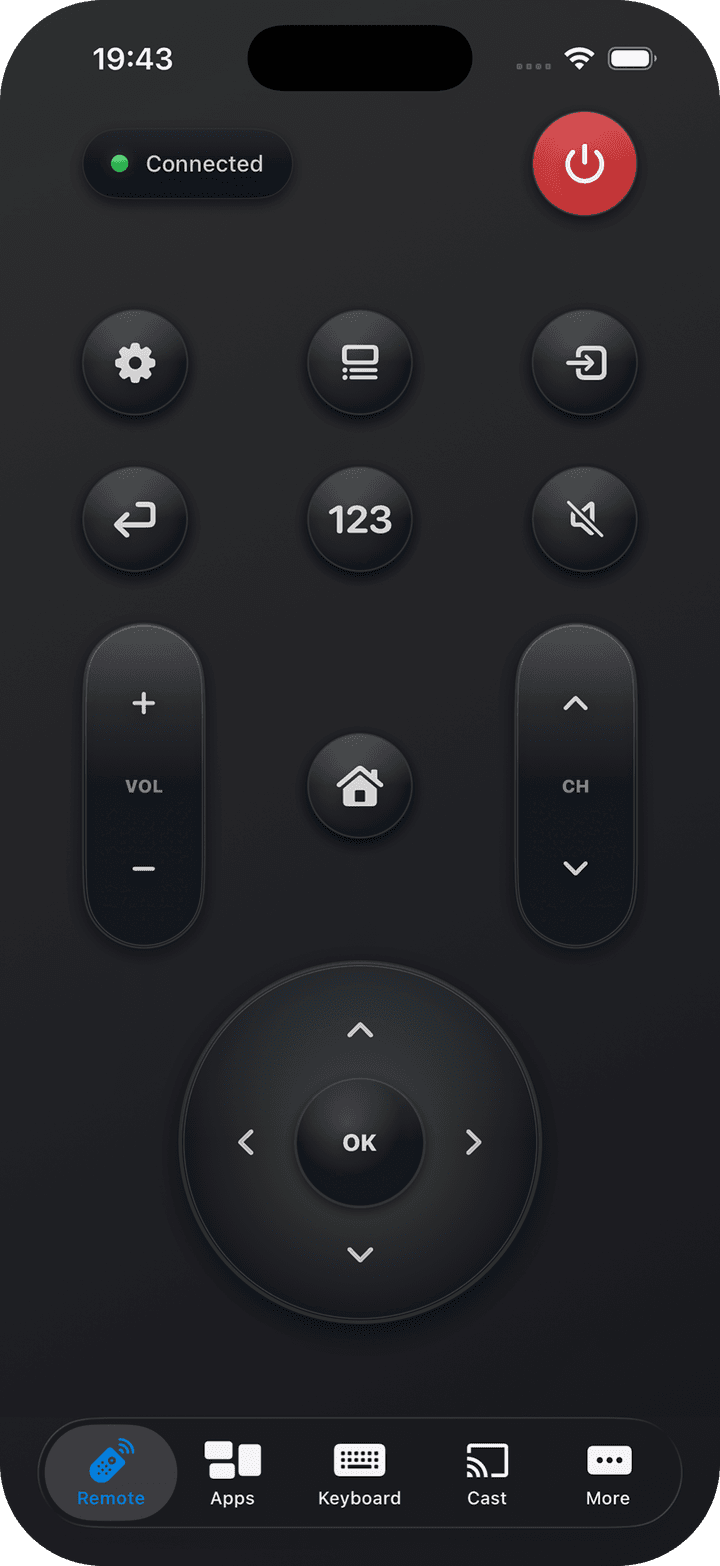
The remote appears: power, volume, channels, inputs, D-pad, media keys, casting and typing with the iPhone keyboard.
Before you install
Yes. Commands travel across your local Wi‑Fi, so the remote keeps working even when your broadband is out. Only the TV’s streaming apps need the internet.
Almost always the two are on different networks — a guest network, a separately named 5 GHz band, or a VPN active on the phone. Check that the TV is awake and that network control is enabled in its settings.
No. Nothing is installed on the television and no account is created — the app uses the network control already built into BRAVIA, Android TV, Google TV and Roku.
Yes, if the set supports IP control — in practice models from about 2013 onward. If your TV settings include a network or IP control section, the app can talk to it.
No. Samsung is not supported, and neither are LG, Vizio, Fire TV or Apple TV.
The app is free to download and the core remote is free to use. Optional in-app purchases unlock extra convenience features.